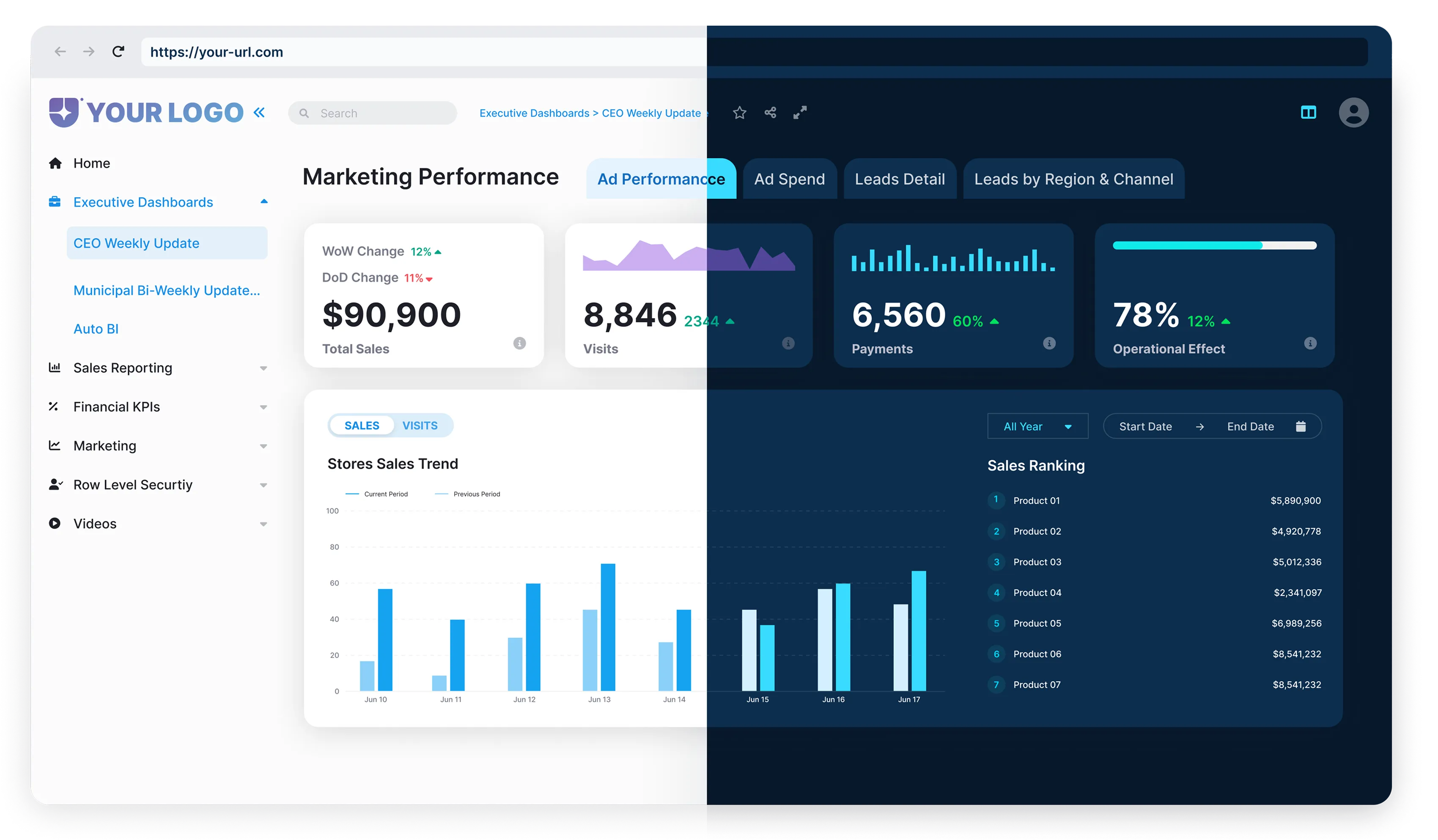



Welcome to the deep dive into the world of Power BI
Simply put, Power BI is a suite of software services, apps, and connectors that unify disparate data sources into comprehensive, visually engaging, and interactive insights. With Power BI’s seamless interactivity, your random, unconnected data can transform into clear, insightful visuals, whether it comes from an Excel workbook, a cloud-based data warehouse, a hybrid environment combining on-premises and cloud data sources.
Power BI’s Key Functions
But Power BI’s function doesn’t stop at generating visually appealing insights from data, particularly in SaaS applications. A deeper look reveals another layer of Power BI’s significance.

Integrating Visual Analyses into SaaS Systems
Power BI provides embedding capabilities and APIs that allow its visual analytics to be integrated directly into SaaS systems and applications.
Enhancing the Value of Software Products
In this role, Power BI enhances the software product’s value by offering near real-time access to crucial business insights through DirectQuery or streaming datasets.

The Power BI Adventure
Now, let’s venture into the Power BI landscape. Our journey will involve dissecting, exploring, and comparing two Power BI licensing models: Power BI Premium and Power BI Embedded.
The goal? To help you identify the optimal Power BI solution for your SaaS application. So, buckle up and let’s dive into the world of data, insights, and analytics with Power BI.
Power BI for SaaS Applications: An Essential Tool
Power BI is not just a tool, it’s an essential instrument for SaaS applications. Why so? SaaS companies deal with countless datasets, and extracting insights from them can be daunting. Power BI streamlines this process, transforming raw, complex data into articulate, visual dashboards and reports that can be quickly deciphered.
This simplified data-interpretation model in Power BI is like turning incomprehensible hieroglyphics into vivid color-by-number paintings. It revolutionizes how SaaS companies understand their data, breaking down barriers between the technical world of data analysis and the everyday understanding of business professionals.

Beyond decipherability, Power BI offers unique features like real-time dashboard updates and seamless integration with other Microsoft products, both of which are beneficial for SaaS companies. Its near real-time or scheduled refresh capabilities ensure everyone on the team stays aligned with the latest data. Meanwhile, its compatibility with other Microsoft offerings, such as Office 365, Azure, and SharePoint, enables highly efficient workflows.
Moreover, Power BI isn’t all business,it has some fun elements too!
With custom visuals and interactive dashboards, exploring data becomes more engaging and intuitive. Custom visuals can be created through Power BI’s Developer SDK or downloaded from Microsoft AppSource.These visually appealing elements don’t just inject enjoyment into data analytics, they also facilitate better decision-making by providing a clear view of trends, patterns, and outliers.
With embedded analytics, companies can deliver governed yet flexible data accessibility, facilitate informed decision-making, and provide deep insights into application usage patterns.
This enables continuous improvement in product and service performance.
What’s more, today’s users don’t just want raw data; they want insights, predictive analysis, and tangible solutions. That’s where embedded analytics steps in, elevating the user experience by making complex data easily interpretable and actionable.
Unpacking Power BI Premium and Power BI Embedded
Now, let’s delve deeper and dissect two commonly used versions of Power BI – Power BI Premium and Power BI Embedded. Both offer top-notch features but cater to different needs and business models, depending on your SaaS application.

Power BI Premium, , as its name suggests, is a notch above the standard version. The ‘Per User’ licensing model here essentially provides your team with an advanced analytics tool which grants larger dataset sizes (up to 100GB), more frequent data refreshes,up to 48/day, and advanced AI features. It’s got a hefty punch, delivering accessibility, performance, and advanced intelligence. That’s why it’s akin to the 007 of Power BI versions – it’s got all the cool gadgets.
On the other hand, developers can embed Power BI dashboards and reports directly into their applications using Azure Power BI Embedded. This version uses a ‘Capacity’ licensing model, which means a potentially unlimited number of users can access it, depending on available Azure capacity. If the embedded version were a superhero, it would be the shape-shifting one, molding itself to fit into your app without breaking a sweat.
Bear in mind that while both versions share some common characteristics, they each serve different needs.
Power BI Premium is best for teams that need unrestricted usage and high performance. Power BI Embedded, however, is the superior choice when you need to seamlessly integrate analytics capabilities into your application without alarming your users by introducing a new feature. In essence, the choice depends on your specific use-case and the end-users you aim to serve.

Power BI Premium: Per User Advantages and Limitations
When implementing Power BI in SaaS applications, Power BI Premium offers distinct benefits.
Firstly, its pricing model is per user, which can be a more economical choice for businesses with fewer users who need higher capacity. At its core, Power BI Premium is all about providing a more enhanced experience for heavy-duty users who handle hefty data volumes regularly.

Through Power BI Premium capacity, users gain access to dedicated compute resources for more reliable performance. It ensures that the usage peaks of one user don’t impinge on the performance experience of another. This dedicated capacity also enables larger data refresh volumes, which are critical for businesses dealing with copious amounts of rapidly changing data.
In addition, Power BI Premium offers advanced AI capabilities, the ability for more members of your team to author content, and the option to publish reports across an entire organization, thus promoting a data-driven culture.
However, there are some limitations to be mindful of. For organizations with massive quantities of casual or infrequent users, costs can escalate quickly. Additionally, because Power BI Premium Capacity operates on a capacity-based licensing model, if your dedicated capacity gets consumed, your users could experience slowdowns or disruptions, which could impact productivity and possibly lead to business disruption.
Moreover, it’s not just about keeping data separate: Power BI enables different views and reports for various tenants, thereby providing a personalized user experience. This means that, depending on their roles and permissions, users see different data and analytics, thereby enhancing relevance and business value.
Finally, Power BI’s scalability is another standout feature that aligns seamlessly with the needs of SaaS businesses. As your customer base grows, Power BI can effortlessly scale up to cater to increased demand, ensuring that your application’s performance remains consistently high.
In short, Power BI Embedded has proven to be a game-changer for SaaS applications, particularly multi-tenant solutions. Its ability to deliver personalized, scalable, and secure analytics aligns well with the requirements and aspirations of modern SaaS landscapes.

In summary, Power BI Premium shines for high-demand users and large data loads.
However, it may not be the optimal choice for organizations with a large number of occasional users or those on a tight budget. Balancing the ‘per user’ advantages with the potential limitations will help in determining if Power BI Premium is the right choice for your SaaS application.
Power BI Embedded: Capacity Benefits and Constraints
Taking Power BI to the next level, Power BI Embedded offers a robust, adaptable, capacity-based solution designed for SaaS developers and ISVs.
The biggest draw is its ability to integrate analytics directly into SaaS applications, delivering uninterrupted data insights where users need them most. It works by dedicating a set amount of resources (CPU, memory, storage) to run a set of Power BI artifacts (Dataflows, Datasets, Dashboards, Reports) in your own Azure tenant, enabling you to manage capacity and cost with flexibility.
These capacities are provisioned via Azure SKUs (A1–A6, EM, or P series), which define compute and memory limits.

One key advantage of Power BI Embedded is its flexibility and scalability.
You have complete control over the capacity size that suits your needs, allowing you to scale up or down based on your usage requirements or expected peak usage. This flexibility ensures you only pay for what you need, making it an economically sound choice, particularly for SaaS applications with variable usage patterns.

Another notable advantage is its potential for seamless integration.
In the app-owns-data embedding mode, users don’t need a Power BI license to view embedded analytics., enabling your SaaS application to deliver seamless, easy-to-use business intelligence. This opens a pathway to provide value to all your end users, even those who may not have Power BI installed.

However, the capacity-based model presents some constraints.
One potential limitation is cost predictability. While scalability is a strength of Power BI Embedded, the variability in usage could result in unpredictable costs. Increased usage could escalate expenses, complicating budgeting for SaaS firms. Additionally, while the features and capabilities that come with Power BI Embedded deliver vast functionalities to SaaS applications, it requires a fair amount of technical expertise to effectively manage and optimize. This might pose a challenge to businesses without a strong technical team.
In simple terms, Power BI Embedded’s strengths lie in its scalability, integration, and flexibility, but the model does require strategic planning for cost control and adequate technical expertise to leverage to its full potential.
Power BI White Label Solution: The Power of Customization
With all the chatter around Power BI Premium and Embedded, it’s becoming increasingly evident that Power BI isn’t just a one-off business analytics tool. It’s more than that; it’s a bona fide white-label solution. Simply put, Power BI Embedded enables white-label implementations, allowing businesses to rebrand and embed interactive analytics under their own identity.. Customers and users see only your branding, not Power BI’s.
But how do Power BI’s white-label capabilities significantly impact SaaS applications?

The keyword here is “seamlessness”.
With all the chatter around Power BI Premium and Embedded, it’s becoming increasingly evident that Power BI isn’t just a one-off business analytics tool. It’s more than that; it’s a bona fide white-label solution. Simply put, Power BI Embedded enables white-label implementations, allowing businesses to rebrand and embed interactive analytics under their own identity.. Customers and users see only your branding, not Power BI’s.

An exquisite example of Power BI’s white label solution is Reporting Hub.
It steps in as a tailor-made, scalable white-label Business Intelligence solution that fills the shoes of Power BI. Reporting Hub helps SaaS firms in multiple ways, from increasing product stickiness through embedded analytics to enhancing customer satisfaction.

What’s particularly striking about Reporting Hub is its ability to bring the collaborative power of Power BI into your SaaS applications while preserving your app’s look and feel.
If you’re looking for a way to enrich your customers’ experience, enable them to discover insights right at their fingertips and amplify your product’s value, then Power BI, as a white-label solution, may well be considered one of the sharpest tools in your shed. And Reporting Hub, with its advanced features and extensive capabilities, could be your go-to platform for such an implementation.

Implementing Power BI Multi-Tenant Analytics
In an environment where multiple users share common access yet operate independently, we’re talking about multi-tenancy.
This function is crucial in Software as a Service (SaaS) solutions as it allows various clients to use the same application while segregating their data. For analytics that matter to every user, multi-tenant analytics in Power BI becomes significantly beneficial.

But how exactly does Power BI support this crucial SaaS feature?
Well, Power BI can be configured for multi-tenancy using separate workspaces, row-level security (RLS), and APIs, allowing your customers to have tailored data views while using a single, shared, centrally managed system. With its row-level security protocols, Power BI can filter data based on the user logging in.
This simply means that even though multiple users may access the same report, the data presented can be customized based on each user’s permissions and roles. This ensures that clients can only view data that pertains to them, thereby enforcing data security and operational effectiveness.
Moreover, Power BI environments can be automated using service principals and APIs for report creation, data refresh, and dataset management – automating report creation, data refresh, and data set management. This helps to maximize productivity while minimizing manual labor, ensuring a smoothly running, efficient multi-tenant environment within your SaaS applications.
In essence, Power BI’s multi-tenant analytics feature empowers customers to leverage data visibility without compromising data segregation. It’s a prime example of how Power BI delivers stronger, smarter analytics to your SaaS solution.
Power BI App Embedding: Delivering Power to End-Users
Embedding Power BI reports or dashboards into Software as a Service (SaaS) platforms offers a range of benefits that enhance the end-user experience and streamline business operations. This sophisticated integration opens the door to data-driven insights and real-time reporting, empowering your clients to make informed decisions effectively.

One of the remarkable benefits to embedding a Power BI app is the unmatched level of customization it offers.
It allows SaaS developers to seamlessly tailor the interface to match their product identity and align with their clients’ unique needs. This customization extends to even the smallest details, including chart styles and color schemes, providing a cohesive, branded user experience.

Another standout advantage is the ability of Power BI embedded applications to deliver real-time, dynamic data updates.
This means end-users can interact with the latest data without reloading or navigating away from the page, serving a dual benefit: improving the user experience and minimizing server load.

Most importantly, embedding a Power BI app enables single sign-on.
By enabling Azure AD-based Single Sign-On (SSO), SaaS providers can offer a more secure, seamless user experience. All data analysis, insights, and reports are accessible through a single, secure system, thereby strengthening overall data protection and management.

But how does one implement Power BI app embedding effectively?
The process starts with procuring a Power BI Pro license or Premium Per User (PPU) license for the developer/publisher account. Next, create a Power BI workspace to host the reports to be embedded. Develop your reports in Power BI Desktop and publish them to your workspace.
After that, in Azure Active Directory, register an app to obtain a Client ID (Application ID) and Client Secret for Power BI REST API access.
Then grant your Azure application access to the Power BI API by enabling the necessary permissions. With the application ID and the corresponding credentials, you should be able to generate an access token using Azure AD OAuth 2.0 for authenticating Power BI REST API call, which will allow you to embed your Power BI reports into your SaaS application.
Achieving More with Power BI Embedded Analytics Guide
Once you’ve grasped the basic principles and functionality of Power BI and its place in SaaS applications, it’s time to dive a little deeper and unlock its full potential.
Building on Microsoft’s Power BI Embedded documentation and Reporting Hub implementation practices, we’ll delve into a smattering of advanced techniques you can wield to maximize your use of Power BI Embedded for your software.

For starters, let’s talk about row-level security (RLS).
This feature allows you to control data access at a very granular level, ensuring that different users or groups see only the data relevant to them. The real power lies in how you can integrate this with your application’s user authentication and authorization systems. That’s data security on steroids.

Keeping in that vein of personalization, you can use custom visuals via the Power BI Developer Tools (PBIVIZ) or AppSource.
This allows you to tweak the visuals in your embedded reports or dashboards, including creating entirely new visuals that fit seamlessly with your application’s look and feel. Now, that’s aesthetics meeting efficiency.

For real data jugglers, interacting with the Power BI service using the REST API and JavaScript SDKin real time is a game-changer.
This allows you to dynamically adapt your analytics and insights based on user actions, dialogue inputs, or data changes. More than throwing data, you’re delivering a responsive, immersive data experience.

Finally, leveraging Power BI’s REST and JavaScript APIs allows developers to automate deployment, capacity management, and dataset refresh processes.
From automating the deployment life cycle to managing capacity and refreshing datasets, the array of capabilities it unlocks is gargantuan.

Productizing Power BI with Reporting Hub: A Smart Strategy
While Power BI has already established itself as a formidable tool in SaaS analytics, its potential extends far beyond out-of-the-box implementations. To better exploit Power BI’s capabilities, productizing it through the Reporting Hub is an impressive strategy.
Reporting Hub acts as a middleware automation layer for Power BI, simplifying report deployment, management, and scaling, enhancing its capabilities by introducing new features and automating routine processes. It can enable even small SaaS companies to offer powerful reporting capabilities that rival those of much larger competitors, effectively moving the chess pieces in their favor.

Beyond sheer off-loading and convenience, Reporting Hub offers a host of advanced features that make life easier for both developers and end users.
From automating report generation through APIs to reducing DevOps workload in managing Power BI workspaces, Reporting Hub is designed to be a one-stop shop for companies looking to leverage Power BI to the fullest.
One of the key benefits of Reporting Hub is its white-labeling versatility. It allows businesses to embed interactive Power BI reports and dashboards into their applications, under their branding aesthetics. This client-oriented customization amplifies their brand impact while simultaneously delivering in-depth analytics directly along the customer’s usage path.
Notably, Reporting Hub has been built to be elastic, making it perfect for rendering services according to business demands.
Its billing model is usage-based, which is an attractive proposition for most SaaS companies. This essentially means companies only pay for what they use, enabling them to scale Power BI usage as their needs grow.
To summarize, productizing Power BI through Reporting Hub can truly give any SaaS application strategy an edge.
Enhancing Power BI with BI Genius
The power of Power BI’s capabilities can be amplified by leveraging an AI-enabled platform specifically designed for Business Intelligence – BI Genius. A game-changer for BI professionals, BI Genius integrates with Power BI semantic models, enhancing data modeling, AI-driven insights, and automated analysis workflows..

To start with, BI Genius is an all-in-one solution that enhances users’ ability to extract vital insights instantly from Power BI semantic models and various data sources. By providing AI-driven insights, it automates report generation and data analysis, drastically reducing manual effort, thus, increasing efficiency and productivity.
Combining AI and BI in this manner accelerates decision-making, supporting businesses in their quest for continuous, sustainable growth.
Moreover, BI Genius enables users to go beyond traditional analytics paradigms with its unique AI-driven capabilities.
The platform uses machine learning algorithms on Power BI datasets to identify anomalies, trends, and predictive patterns for actionable insights.This greatly empowers businesses, enabling them to anticipate future trends and respond proactively to challenges or opportunities.
Incorporating BI Genius into your Power BI framework is akin to having a powerful personal assistant at your disposal, one that constantly monitors the pulse of your business data, alerts you to areas that need attention, and helps you make well-informed, data-backed decisions. It truly brings to the fore the vast possibilities that Big Data, coupled with AI, can offer modern businesses, magnifying the benefits of Power BI for your SaaS applications.
- Unpacking Power BI Premium and Power BI Embedded
- Power BI Premium: Per User Advantages and Limitations
- Power BI Embedded: Capacity Benefits and Constraints
- Power BI White Label Solution: The Power of Customization
- Implementing Power BI Multi-Tenant Analytics
- Power BI App Embedding: Delivering Power to End-Users
- Achieving More with Power BI Embedded Analytics Guide
.webp)
.webp)