


For many organizations, Microsoft’s Power BI licensing can feel like a labyrinth. In this piece, we’ll demystify the confusion and present clear, concise solutions. So adjust your reading glasses, sit back, and let us guide you through the maze.
When Power BI ‘Pro’ Stops Being Enough

Navigating Microsoft’s Power BI licensing options can take on a feeling comparable to completing an advanced Rubik’s Cube, twirling it around and hoping for a uniform outcome.
The real challenge is not just deciphering the crazy Power BI licensing structure.
The real challenge is the moment your organization needs to decide on when it is the right time to make “the big switch” – to demarcate an instant requires your organization to stop relying on the limitations of Power BI “Pro.”
Herein lies the dilemma:
Power BI Pro, though very powerful and efficient, often feels like it could be a good fit for your growing team (at least for now). Yet, increasingly beginning to think about scale – is it time to ditch the “Pro” safety net and move to a slightly more robust version? The transition, to put it mildly, is not clear, and certainly, not enjoyable, primarily because that threshold where “Pro” stops working and you need to “need more than Pro” is very fuzzy, oftentimes even indistinct.
As your chosen guide, we want to help you better define this ubiquitous demarcation point from the start of your journey.
Power BI Embedded: Capacity Benefits and Constraints
Taking Power BI to the next level, Power BI Embedded offers a robust, adaptable, capacity-based solution designed for SaaS developers and ISVs.
The biggest draw is its ability to integrate analytics directly into SaaS applications, delivering uninterrupted data insights where users need them most. It works by dedicating a set amount of resources (CPU, memory, storage) to run a set of Power BI artifacts (Dataflows, Datasets, Dashboards, Reports) in your own Azure tenant, enabling you to manage capacity and cost with flexibility.
These capacities are provisioned via Azure SKUs (A1–A6, EM, or P series), which define compute and memory limits.

One key advantage of Power BI Embedded is its flexibility and scalability.
You have complete control over the capacity size that suits your needs, allowing you to scale up or down based on your usage requirements or expected peak usage. This flexibility ensures you only pay for what you need, making it an economically sound choice, particularly for SaaS applications with variable usage patterns.

Another notable advantage is its potential for seamless integration.
In the app-owns-data embedding mode, users don’t need a Power BI license to view embedded analytics, enabling your SaaS application to deliver seamless, easy-to-use business intelligence.This opens a pathway to provide value to all your end users, even those who may not have Power BI installed.

However, the capacity-based model presents some constraints.
One potential limitation is cost predictability. While scalability is a strength of Power BI Embedded, the variability in usage could result in unpredictable costs. Additionally, while the features and capabilities deliver vast functionality, it requires a fair amount of technical expertise to effectively manage and optimize.
In simple terms, Power BI Embedded’s strengths lie in its scalability, integration, and flexibility, but the model does require strategic planning for cost control and adequate technical expertise to leverage to its full potential.
Power BI Licensing Comparison: Pro isn’t Always the Champion
It allows you to serve multiple clients, or tenants, from a single platform. Each tenant has access to their own secure data and insights, which makes it easier to scale your reporting capabilities without sacrificing security.

When you first venture into the labyrinth of Power BI licensing, Power BI Pro gleams like a beacon and can easily be perceived as the winner.
It offers self-service analytics, data visualizations, and report sharing across departments, It also supports publishing to workspaces, app distribution, and automated data refresh scheduling. It is a complete package, fantastic for a smaller team wanting to share insights across internal units.

But as your team grows, you will find the shine of Power BI Pro has dulled.
After a certain threshold of users, a choice of licensing becomes less exciting; herein lies the challenge. According to the features of services by license types and perspectives, Power BI Pro loses its gleam as organizational arms span into wider circles.A perfect example: Power BI Pro operates solely on a per-user license model and does not support capacity-based pricing like Premium. And remember that shiny report sharing feature? Well, it is not so shiny when you are in a larger team context.

Sharing reports and dashboards with the same ease of smaller teams without having to purchase a license for every user at the receiving end of those reports seems like a tall order for Power BI Pro.
Each recipient must either hold a Power BI Pro license or view content hosted on a Premium capacity. Eventually, this limitation can become a barrier for sharing insights at scale. And so, while Power BI Pro packs some punch for small to medium-sized teams, for larger teams it may be punching above its weight.
So, before we anoint Power BI Pro the champ, it is important to layout your strategy, team size, and goals for scalability.
Hold your horses… as the crowd grows bigger, another challenger has begun to stir. And spoiler alert, Power BI Pro may not be the champion in this ring.


The Real Cost of Scaling Power BI Pro
One aspect of Power BI that can catch businesses off guard is the cost that rapidly begins to compound once you start scaling Power BI Pro.
The licensing fee may seem reasonable on paper for small teams or organizations that are on the fringes of data analytics. However, the costs ramp up quickly and may become overwhelming in relation to licensing costs as your team increases and your data needs become more complicated.
The cost does not stop there. As your team becomes larger, so does the volume and complexity of your data.
This requires additional features, which will most likely require also adding Power BI Premium to the mix, again, added costs. such as larger dataset storage, incremental refresh, and broader audience sharing.
Power BI Pro can definitely deliver in the right situations, but one can easily understand how, as an organization begins to scale, the very low licensing cost that was once appealing can quickly become a financial challenge.
Navigating Power BI Pricing for SaaS Apps


Unfortunately, the Power BI Pro licensing will not easily or affordably accommodate this user-type scenario because each external user requires an individual Pro license or Premium capacity access.
The “Pro” subscription is the per-user pricing model, and then you have the challenge. All good and well that you want to share Power BI reports to your customers’ users, but that will need a separate Power BI Pro license for each and everyone of those users. Things can be outrageously expensive and complicated very quickly.
This limitation adds to the cost, and you also get into the tricky area of pricing considerations, as you begin adding these costs into your pricing bundles based on differences in the size of the user base, which is antithetical to the core values of SaaS pricing, e.g., flexibility and scalability.
The specificity of SaaS apps helps add complexity in other ways, namely, multi-tenancy.
In the case of Power BI, it is most comfortable in a one organization scenario – allowing for the separation of data for different customers in a dataspace or a single Power BI instance would pose a complexity and hurdle in the software. And we have not even taken into account the limits imposed by Power BI’s API rate limits for a developer. Power BI REST API limits concurrent calls per hour and enforces throttling beyond 200 requests per minute per tenant.
Overall, the uniqueness of the SaaS app’s needs and delivery illustrates a direct conflict with the fee structures and limitations of Power BI Pro. As this SaaS business scales, this conflict intensifies leaving you to ask the very uncomfortable question of,“
How do I scale my BI features and stay within budget?” Perhaps there’s a more equitable and practical option?
Hang on to this thought for later as we will explore it.

Power BI Scalability: Hurdles in Sharing Reports at Scale
As you transition from a smaller team environment to a large-scale operation, you may start to encounter some hurdles with Power BI Pro, particularly when it comes to sharing reports.

One key advantage of Power BI Embedded is its flexibility and scalability.
Imagine having to share a report with hundreds, possibly thousands of users. Are you supposed to buy Pro licenses for each one of them? This approach is not only unwieldy but also financially impractical.
The Issue with Sharing on Power BI Pro
Sure, Power BI Pro has the capability to share reports, but it's not as straightforward as most users would hope. Power BI Pro requires each user to have a Pro license to view shared reports, unless the reports are hosted on a Premium capacity.
A Bottleneck for Business Intelligence
This setup can create a bottleneck where not all users can access critical data when needed. If you're trying to figure out the sharing mechanism, here is a guide, “how to share Microsoft Power BI”.

An Alternative
But don't worry about purchasing Pro licenses for every user. There's an alternative approach that can save you a large budget chunk: Power BI Embedded.
Stay tuned in the next section for more on this approach.
The Solution? SaaSify Your Power BI
Are you feeling lost in the tangled mess of Power BI Pro? You shouldn’t. There’s a promising solution: ‘SaaSify’ your Power BI.

Enter Microsoft’s Power BI Embedded; the more affordable and scalable method of licensing, compared to the standard Power BI. What does that mean in practical terms? You retain all core Power BI capabilities while managing costs through capacity-based pricing rather than per-user licensing.
Let’s break it down a bit.
Power BI Embedded is designed specifically for SaaS applications and it’s easy to integrate into any application.
This opens the door to the benefits of Power BI for customers and partners without the restrictions and complications that come with the Pro license. Essentially, you can share dynamic reports and live, interactive dashboards with just about anyone you want, sans the license hassle.
And just when you thought it could not get better: scalability.
Organizations face challenges at scale. Power BI Embedded allows IT teams to publish reports across a wide range without needing individual licenses for each recipient, when using the app-owns-data model with embedded tokens that authenticate end users through the host application. Talk about leveling up!
Still, traditional BI practices may leave you hesitant. It can be challenging to ditch the familiar road for the path less trodden. You can discover the benefits of Power BI Embedded straight from the horse’s mouth by reading “Power BI Embedded on Microsoft Azure”. You can find everything from interactivity to performance boosts.
In short, Power BI Embedded offers a viable alternative for those feeling restricted by Power BI Pro.
It’s an all-you-can-eat buffet of reporting power. Get the full suite of Power BI services without pesky purchasing provisions. In the realm of Power BI, consider this the promised land.
Reporting Hub: Removing Barriers with Our White-Label Power BI Embedded Portal
Scaling your Power BI Pro can feel like scaling Everest because of the twisted mess of licensing complexity. This is what Reporting Hub eliminates for you. Business intelligence shouldn’t be a heavy weight to push uphill. Instead, it should be a means of navigating through knowledge so you can make assumptions that inform your decisions.

Reporting Hub is an easy, scalable, and cost-effective alternative to Power BI Pro licensing.
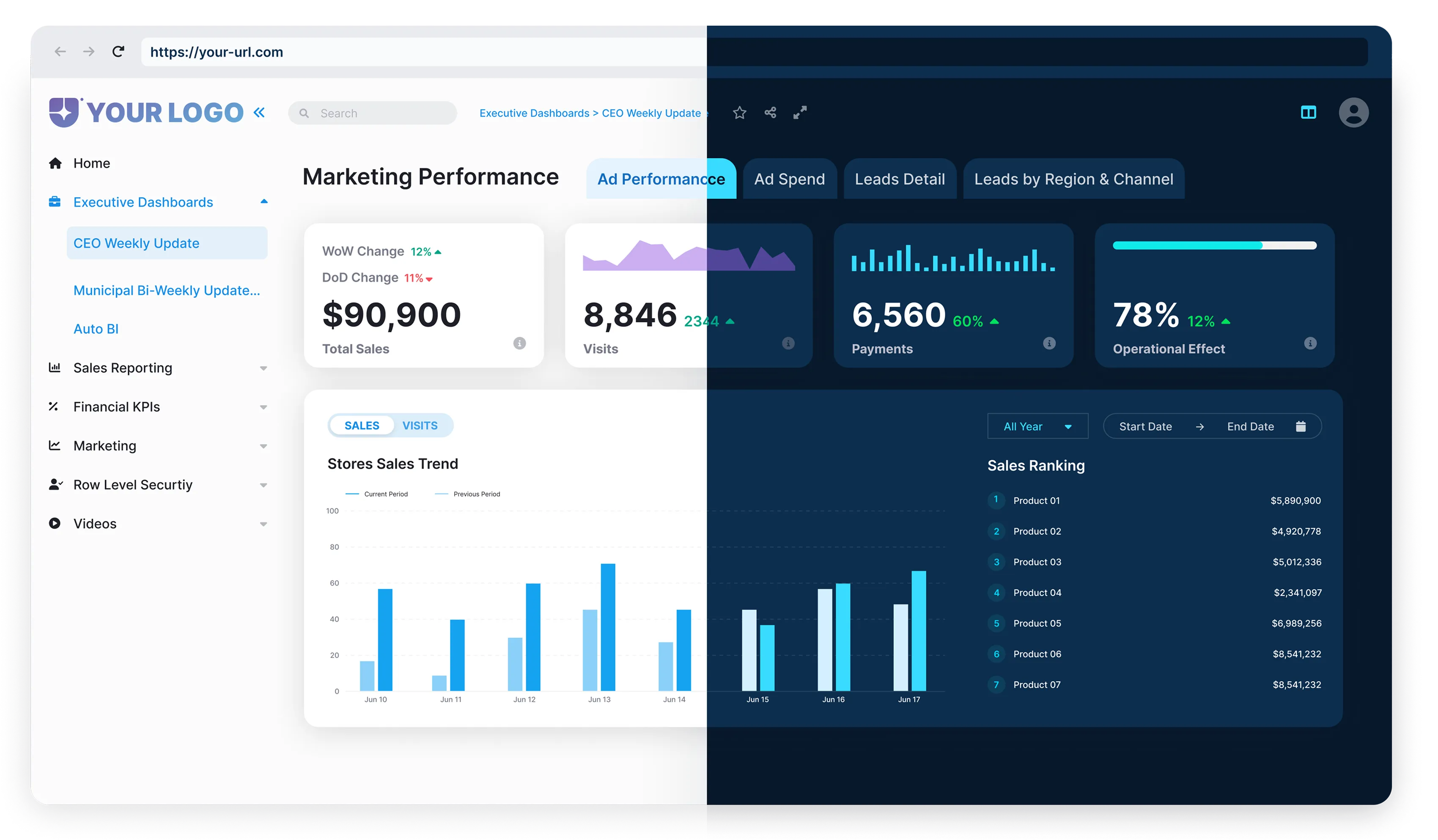
Our white-label, Power BI Embedded portal fits neatly within your organization and provides scalable analytics and reporting. Powered by Power BI Embedded with role-based access and centralized capacity control. We deploy services like our BI Genius to combat the chaos of confusion inherent in Power BI. The purpose of BI Genius is not just to help eliminate confusion, but also to help your organization make data-driven decisions with ease.We move the licensing obstacles out of the way and make your Power BI Pro transition nearly frictionless.
Adopting Power BI Embedded with Reporting Hub brings in a new era of simplicity in data reporting practices. We have a selection of tools that will allow you to leave licensing confusion behind, from user management, capacity planning, report cataloging, and automatic report updates.

Want to learn more? We’ve got you covered.
Learn about Report Hub features and take an in-depth dive into the complete Power BI Embedded service on our site.
Overall, Reporting Hub is an effective solution to mired Power BI pricing and at the end of the day, it allows you to focus on what really matters – using great data to drive results.
Concluding Thoughts: Is Power BI Pro Worth It for Teams?

Pros of Power BI Pro
When considering Power BI Pro as an option for expanding teams, it definitely has advantages. Power BI Pro clearly has a respected track record in the business intelligence space.
Some benefits of Power BI Pro include:
- User-friendly interface
- Easy-to-learn functionalities
- Create additional topline revenue?
These features make Power BI Pro a compelling option for small businesses or individual users.

Limitations of Power BI Pro
Despite the advantages, Power BI Pro does have some disadvantages when it comes to growing and scaling.
Some obstacles you may run into are:
- Difficulty in sharing reports at scale
- Escalating costs aligned with growth
As these challenges become real, you may find yourself struggling with growing costs and operational issues.

Your business intelligence tools have to evolve with your business surroundings. Being able to scale easily and cost effectively is an important part of the decision you are going to make.
In summary, although Power BI Pro is a powerful tool, it isn’t necessarily the best choice for your business intelligence needs.
More scalable, cost-effective options, such as Reporting Hub’s white-label Power BI Embedded portal, will allow your team (and future team) to easily – and confidently – deal with the demands for data-driven decision making far into the future.
So leave the confusion behind and stay focused on what truly matters – your business decisions!
- Power BI Embedded: Capacity Benefits and Constraints
- Power BI Licensing Comparison: Pro isn’t Always the Champion
- The Real Cost of Scaling Power BI Pro
- Navigating Power BI Pricing for SaaS Apps
- The Real Cost of Scaling Power BI Pro
- Reporting Hub: Removing Barriers with Our White-Label Power BI Embedded Portal
- Concluding Thoughts: Is Power BI Pro Worth It for Teams?
.webp)
.webp)