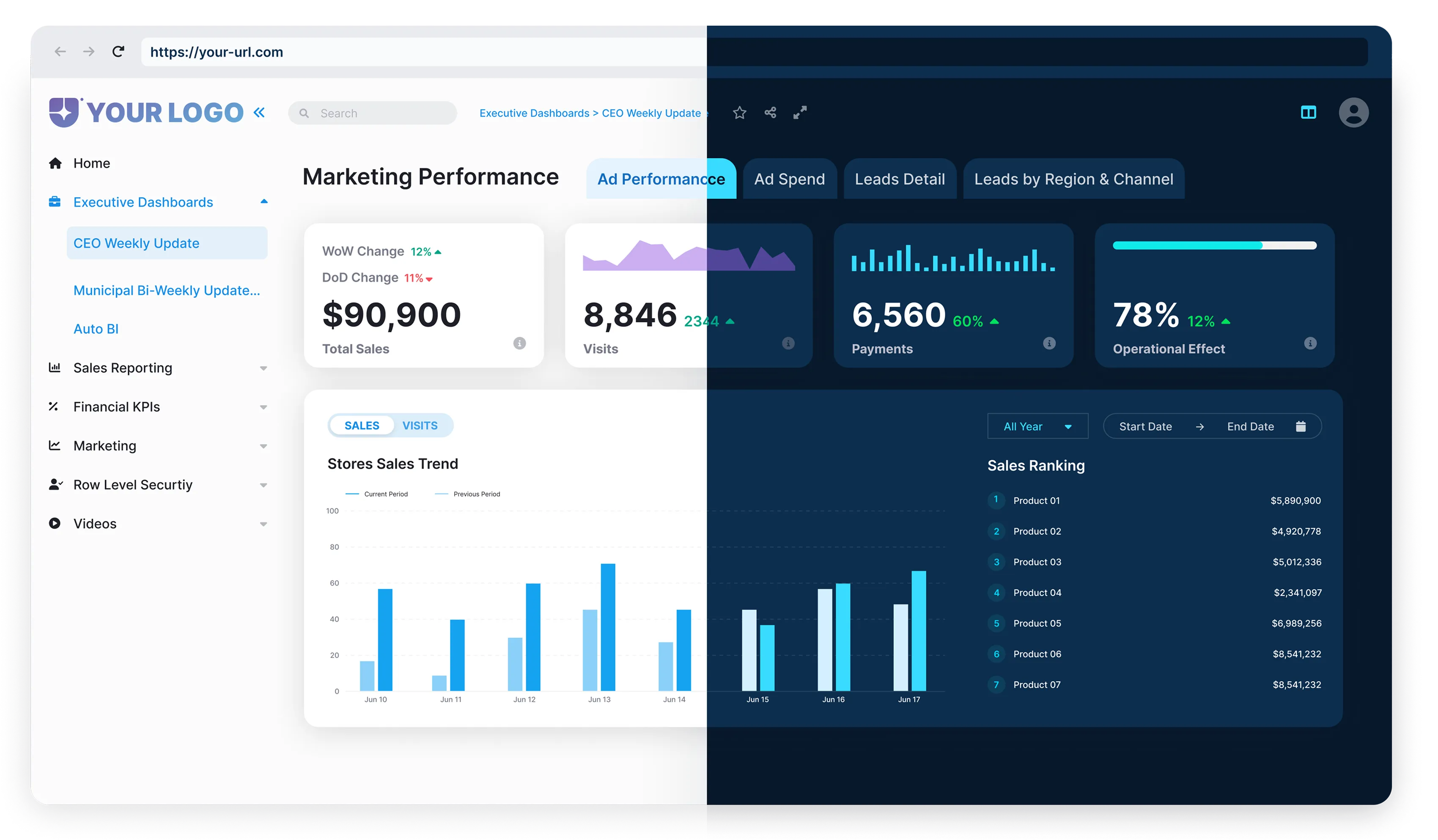



Harness the intersection of data analysis and cloud computing with Power BI and Azure, which explains how Power BI and Azure integrate, the concrete benefits of combining them, and real-world ways organizations use the duo for modern analytics.
Power BI and Azure: A Match Made in Tech Heaven
Imagine Power BI and Azure as the iconic dynamic duo in the tech universe.

- Sleek data visualization,
- Interactive dashboards,
- Transformation of complex data into digestible business intelligence.
- Provides a wide range of cloud services,
- Empowers businesses to build, deploy, and manage applications,
- Delivers a secure and scalable environment.
The alliance of these two is nothing short of a superhero team-up epic, each impressive in its own right. Still, their combined forces unlock an array of almost unimaginable possibilities.

The Synergy: Bringing Advanced Analytics to Fingertips.
The integration of Power BI and Azure leads to streamlined data handling and visualization. This exciting evolution in the tech space has placed this team-up as a big-hitter in modern analytics. They provide solutions that are flexible, scalable, and impressively efficient. Stay tuned to figure out how this dynamic combination can bolster your data analytics game from just “good” to truly legendary.
The Unmatched Capabilities of Power BI and Azure

Think of Power BI as a maestro who conducts a symphony of data, transforming the disjointed tones of raw data into a mesmerizing visual harmony of reports and dashboards. Designed with a non-coding, drag-and-drop interface, it offers an intuitive way to weave narratives out of data. Power BI’s capabilities, such as quick measures, forecasting, grouping, clustering, and the power to create visual reports with just a few clicks, make it a top pick among data visualization tools.
Complexity plays the other side of data’s coin, however, and this is where Azure shows up.
As a cloud computing giant, Azure offers a suite of integrated cloud services – computing, analytics, storage, networking, you name it – to transform that data symphony into a full-blown orchestra performance. It’s pretty great at managing large volumes of data across diverse sources while prioritizing security, scalability, and compliance.
But the real magic happens when you bridge Power BI and Azure.
Their synergy makes data handling and visualization not only streamlined but supercharged. Together, they address common data pitfalls seamlessly, making your data more accessible, manageable, and meaningful.
Microsoft, the proud parent of both these tech players, provides the perfect insight into their symbiosis. From allowing real-time dashboard updates and providing rich, interactive reports to creating intricately detailed production-level apps, the Power BI-Azure duo offers up a platter of analytics capabilities that can help organizations make sense of their data and, ultimately, make smart, data-driven decisions.

Power BI: A Leader among Cloud Data Visualization Tools

Power BI is more than just a name in the realm of data visualization – it’s a standard-setter. Holding its spot firmly among the top cloud visualization tools, Power BI continues its innovative trailblazing by constantly raising its game. Boasting potent and diverse functionality, Power BI handles data from a breadth of sources, including CSV and Excel files, SQL Server databases, Azure SQL databases, and a host of other web platforms and services.
The intrinsic beauty of Power BI lies in the visually astounding and contextually comprehensive reports and dashboards that drive intelligent business decision-making.
What makes Power BI distinct is its innate capacity to tease out information and correlate manifold data sets into an organized, coherent view. Given this, Power BI is a force to be reckoned with when it comes to clarity, conciseness, and meaningful understanding of complex data landscapes.
Take, for instance, the example of a global apparel brand tracking its product performance across different geographies. With Power BI, this colossal task of collecting, filtering, and analyzing data from multiple outlets becomes a walk in the park. Power BI’s dynamic dashboards delve into these multifaceted datasets, offering valuable insights into regional product preferences, top-selling categories, and seasonal sales trends. This interpreted data can hugely impact procurement, production strategies, and marketing drives, leading to an increase in profitability and productivity.
Power BI’s capacity to breathe life into raw data converts information into wisdom, equipping businesses with actionable insights. Its intuitive drag-and-drop features, coupled with the ease of sharing and collaboration, make data democratization a reality for organizations of all sizes.
Be it a burgeoning startup or a multinational conglomerate, Power BI can become the instrument for strategic decisions, forging pathways toward improved efficiency and effectiveness.
Azure Data Integration: A Game-Changer
Azure plays a starring role in the data integration process for businesses. It’s not just a sidekick to Power BI but a true game-changer in its own right. As a cornerstone of cloud computing services, Azure provides a boatload of features to seamlessly integrate and manage data from disparate sources.
Azure is not just about storing data; it’s designed to harmonize the data preparation process.



The alliance of these two is nothing short of a superhero team-up epic, each impressive in its own right. Still, their combined forces unlock an array of almost unimaginable possibilities.
To witness Azure data integration in action, let’s take a peek at a real-world example.

Consider Zylotech, a customer analytics company.
Zylotech used Azure Data Lake and other Azure services to pull together data from various sources and sectors of their business. With Azure stepping into the limelight, Zylotech’s data-crunching time dropped from weeks to mere hours. Not only did Azure simplify data management, but it also helped Zylotech leverage AI models to crunch customer data – delivering deeper predictive analytics and personalization capabilities.

In another instance, Grab, a Singapore-based technology company, used Azure Data Lake Storage to fulfill their big data needs.
Grab needed to store large volumes of data and ensure it was readily available for analytics and machine learning. Azure Data Lake Storage was the pick of the day, helping Grab manage their data more effectively and efficiently.
Power BI Reports and Dashboards: Bespoke Business Insights

The real beauty of Power BI is its inherent property of catering to personalized business requirements.
When it comes to big data, the usage and interpretation can significantly vary from one business to another. Power BI embraces this diversity through its customizable reports and dashboards, enabling businesses to gain bespoke insights from their sea of data.
Consider Power BI as your data chameleon; it can seamlessly adapt and portray data customized to your business context. You can create insightful reports that focus on your business’s core aspects and show the metrics that matter to you. Whether it’s tracking sales performances, monitoring supply chain efficiency, or analyzing customer interactions – you name it, Power BI reports have got it covered.
However, the power rests in your hands to tweak these visuals, select the layouts, and customize the data representations to suit your perspective.
Power BI’s dashboard canvas is quite a playground for data analysts. It lets you drag and drop your desired visuals, resize and arrange them according to your preference. There are options to filter the data, apply drill-through actions, and define hierarchies – offering you multilayered data visualization. If the built-in visuals are not sufficient, Power BI gives you the liberty to import custom visuals to enrich your dashboards further.
However, the power rests in your hands to tweak these visuals, select the layouts, and customize the data representations to suit your perspective.
Power BI’s dashboard canvas is quite a playground for data analysts. It lets you drag and drop your desired visuals, resize and arrange them according to your preference. There are options to filter the data, apply drill-through actions, and define hierarchies – offering you multilayered data visualization. If the built-in visuals are not sufficient, Power BI gives you the liberty to import custom visuals to enrich your dashboards further.

Power of Predictive Analytics with Power BI and Azure
When it comes to predictive analytics, Power BI and Azure have a lot to offer. These can empower businesses by harnessing the value of their data and making forward-looking decisions.

- Forecast realistic future scenarios
- Make educated decisions based on existing data
- Take smart, calculated risks

- Analyze patterns and trends related to aircraft performance and component wear
- Accurately forecast maintenance schedules, reducing unnecessary checks and enhancing operational efficiency

- Analyze massive health databases stored in Azure
- Predict potential health risks, allowing for early intervention
- Mitigate risks
- Reduce costs
- Increase efficiency
- Predictive analytics in healthcare can improve early detection and support better patient outcomes.
Power BI Embedded Analytics and Reporting Overview

If you thrive on data and crave business insight, you’ll love diving into Power BI Embedded Analytics. It’s a seriously practical tool. What makes it so cool? Well, it’s all about the visuals. Power BI Embedded is an Azure feature that lets developers embed interactive reports and dashboards into applications where their customers live, work, and play. And we’re not just talking about run-of-the-mill graphs and charts here. Power BI provides next-level visuals anytime, anywhere, on any device.
Imagine the user experience. To access insightful, custom-made analytics, your users no longer need to hop between applications. With Power BI Embedded, you can say goodbye to the additional login, switch apps button, or separate analytics page. It’s all baked into your existing application, right where you need it.
Let’s bring it down with an example.

You run an e-commerce site, and you want to give your managers digestible daily sales statistics.
Old-world thinking would have them wading through separate systems. New-world thinking via Power BI Embedded lets them see the trends straight from the home page. Your managers save time, and time, as we all know, is money. Bingo.
Power BI Embedded analytics hands you the power to mold and shape your analytic feature set to fit your needs exactly. You want a dozen interactive charts? You got it. A scrollable timeline? No problem. A drill-down sector analysis? This makes analytics more accessible and easier to use.
So, jump in, get your hands dirty, and start leveraging Power BI’s embedded analytics. Bring context and clarity to your business decision-making and pave the way to better results. Piece of cake, right?

.webp)
Complex Integration:
Integrating Power BI and Azure can be a challenging task involving data crunching, visualization, reporting, and more.
.webp)
Resource Intensive:
This process may require resources and time, which not all companies are willing or able to invest.
.webp)
Continuous Maintenance:
After the integration, ongoing maintenance and improvements are needed, tailored to your unique business needs
In essence, managing the integration process can be as intricate and time-consuming as owning a sports car.
Reporting Hub: Your White-Label Insight Delivery Platform
Reporting Hub makes delivering Power BI and AI-powered insights at scale simple, secure, and fully branded. With a plug-and-play, no-code portal built on Power BI Embedded and BI Genius for AI agents, you get a solution that works your way, under your control.

- Effortless Deployment: Share analytics externally or internally without fuss.
- Fully White-Labeled: Keep your brand front and center while insights do the heavy lifting.
- Custom AI Agents with BI Genius: Build AI-powered assistants using your existing Power BI semantic models, all within your own environment.

- Speed and Scale: Turn raw data into actionable insights faster.
- Brand-Forward Analytics: Your dashboards and AI agents are fully branded.
- Simplified AI Integration: BI Genius handles the AI magic behind the scenes.
The alliance of these two is nothing short of a superhero team-up epic, each impressive in its own right. Still, their combined forces unlock an array of almost unimaginable possibilities.
Envisioning and Achieving a Data-Driven Future
In the era of digitization, businesses are growing more data-centric than ever. The integration of Power BI and Azure is a powerhouse combo that can help enterprises achieve a smooth transition into this data-driven future.

Power BI, a sophisticated tool for data visualization, can distill complex datasets into easily digestible visual interfaces. Users can interact with these tools, making sense of vast quantities of data and gleaning insights that might otherwise be unseen. When combined with Azure, with its agility and security in data storage and management, the result opens up new vistas of opportunity for businesses to optimize their processes.
Why wait until tomorrow? Embrace this integration today for charting out continuous improvement paths and making data-backed business decisions that enrich your value proposition. It aligns the operational processes with strategy, helping decision-makers identify critical success factors that need emphasis.
The future promises to be more intertwined with data, and the union of Power BI and Azure is poised to play a significant role in shaping this data landscape.
Modern analytics will evolve, powered by tailor-made insights, secured cloud solutions, and the most innovative technologies to handle data; it is in this world that Power BI and Azure find their true place.
So with the dawn of this synergy between Power BI and Azure, it’s time for enterprises to take a step forward. This integration paves the path for a data-driven future that might well redefine the way we approach modern data analytics. Get on board with this duo to truly harness the power of your data and effectively advance into the future.
Businesses that smoothly transition into this data-centric world, harnessing the capabilities of Power BI and Azure, will truly be the trailblazers, setting themselves apart from the rest with insights-rich, efficient business models. Be a part of this future, today.
- Power BI and Azure: A Match Made in Tech Heaven
- The Unmatched Capabilities of Power BI and Azure
- Power BI: A Leader among Cloud Data Visualization Tools
- Power BI: A Leader among Cloud Data Visualization Tools
- Power BI Reports and Dashboards: Bespoke Business Insights
- Power BI Reports and Dashboards: Bespoke Business Insights
- Power BI Embedded Analytics and Reporting Overview
.webp)
.webp)